> ## Documentation Index
> Fetch the complete documentation index at: https://docs.flexoworks.com/llms.txt
> Use this file to discover all available pages before exploring further.
# Job stages and transitions
> Follow a job from Intake to Shipped, understand the Prepress approval gate, and distinguish job stages from production-line completion and Archive.
A **job** is the production record that carries the customer work, files,
production lines, billing, and history. Its **stage** shows where the job is in
the production lifecycle.
A customer **order** is an incoming request. When it is converted, Flexoworks
creates one or more jobs in **Intake**. Read [Orders and jobs: from intake to
production](/guides/orders-and-jobs) for the complete relationship.
## The lifecycle at a glance
Every active job follows the same route:
**Intake → Prepress → Imaging → Washout → QC → Shipped**
Confirm the customer request, files, job details, and production lines.
Prepare the artwork and complete the manager-review handoff.
Expose the approved plate work and record plate-line completion separately.
Continue the physical plate-production process after exposure.
Perform the final quality checks before dispatch.
Finish the production lifecycle and make eligible billing available for
invoicing.
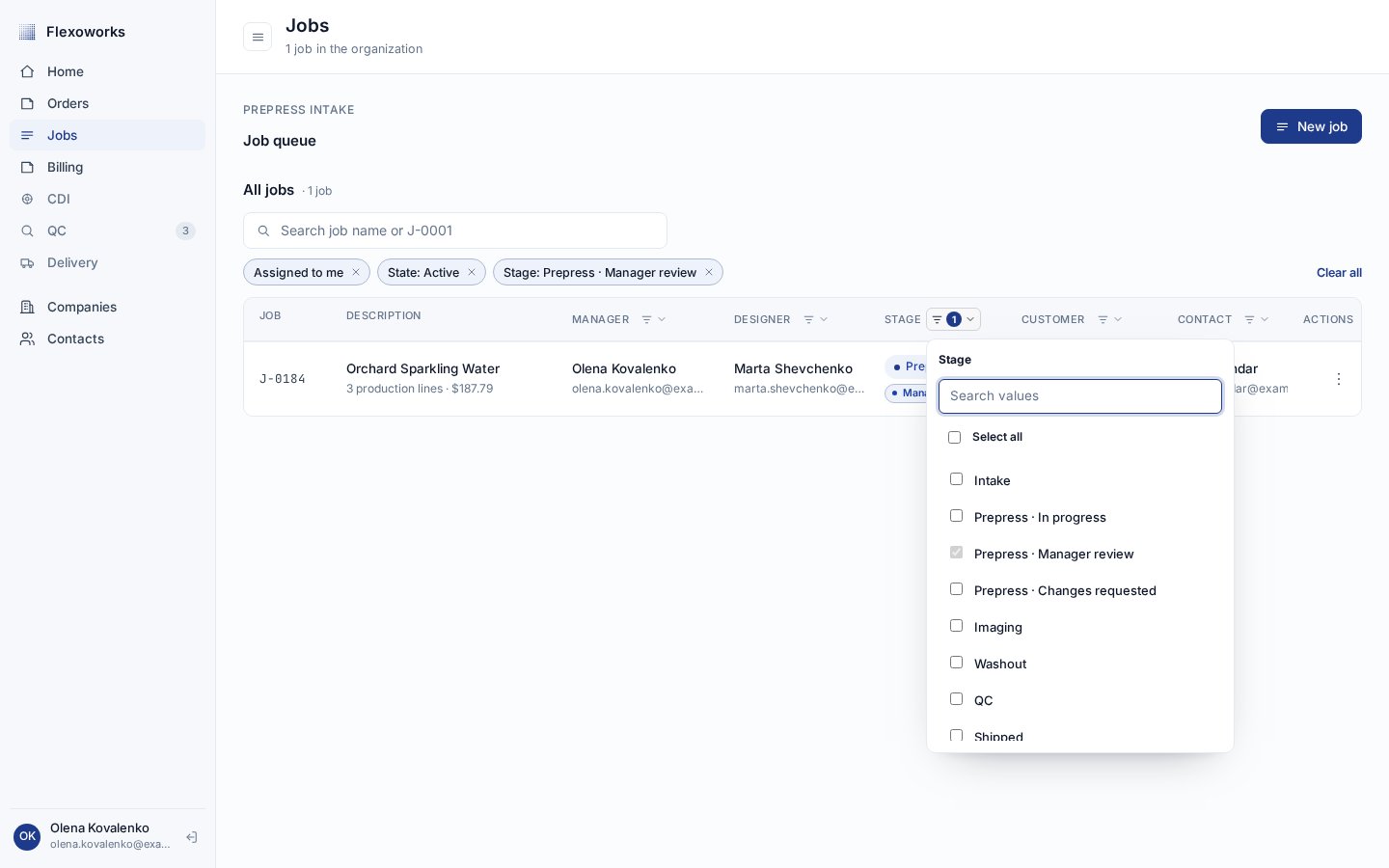
On the **Jobs** page, the **Stage** column shows the current production stage.
Open its checkbox filter to combine stages or to distinguish the three Prepress
workflow states. The default active view includes every workflow status except
**Shipped**; select **Shipped** when you need to include dispatched work.
 ## Move a job through production
Stage transitions are forward-only. An ordinary transition moves a job just
**one stage** ahead; it cannot skip a stage or move backward. Check the job
before confirming each transition.
Use **Intake** to verify the request and prepare the job for design work.
This is also one of the two stages where production lines can be added,
edited, or removed.
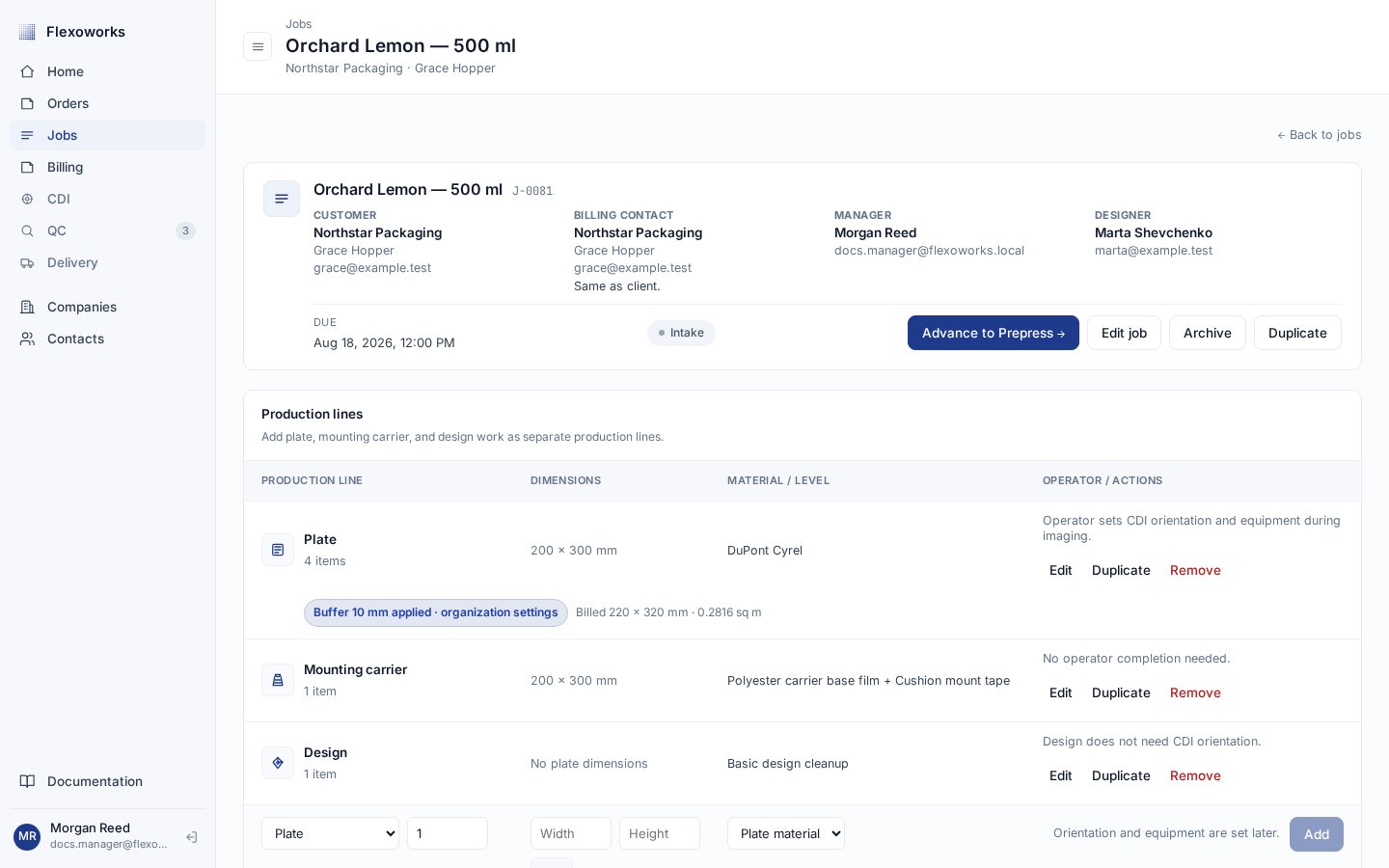
When the job is ready, select **Advance to Prepress →** in its header and
confirm. This is a standard next-stage transition.
## Move a job through production
Stage transitions are forward-only. An ordinary transition moves a job just
**one stage** ahead; it cannot skip a stage or move backward. Check the job
before confirming each transition.
Use **Intake** to verify the request and prepare the job for design work.
This is also one of the two stages where production lines can be added,
edited, or removed.
When the job is ready, select **Advance to Prepress →** in its header and
confirm. This is a standard next-stage transition.
 In **Prepress**, prepare the artwork and verify the production details.
Production lines are still editable here. Unlike the other stages, Prepress
does not have an ordinary **Advance to Imaging** action.
Prepress has three workflow states without adding extra production stages:
* **Prepress · In progress** — design or preparation work is active.
* **Prepress · Manager review** — a submitted snapshot is waiting for a manager decision.
* **Prepress · Changes requested** — manager feedback must be addressed before resubmission.
In **Prepress**, prepare the artwork and verify the production details.
Production lines are still editable here. Unlike the other stages, Prepress
does not have an ordinary **Advance to Imaging** action.
Prepress has three workflow states without adding extra production stages:
* **Prepress · In progress** — design or preparation work is active.
* **Prepress · Manager review** — a submitted snapshot is waiting for a manager decision.
* **Prepress · Changes requested** — manager feedback must be addressed before resubmission.
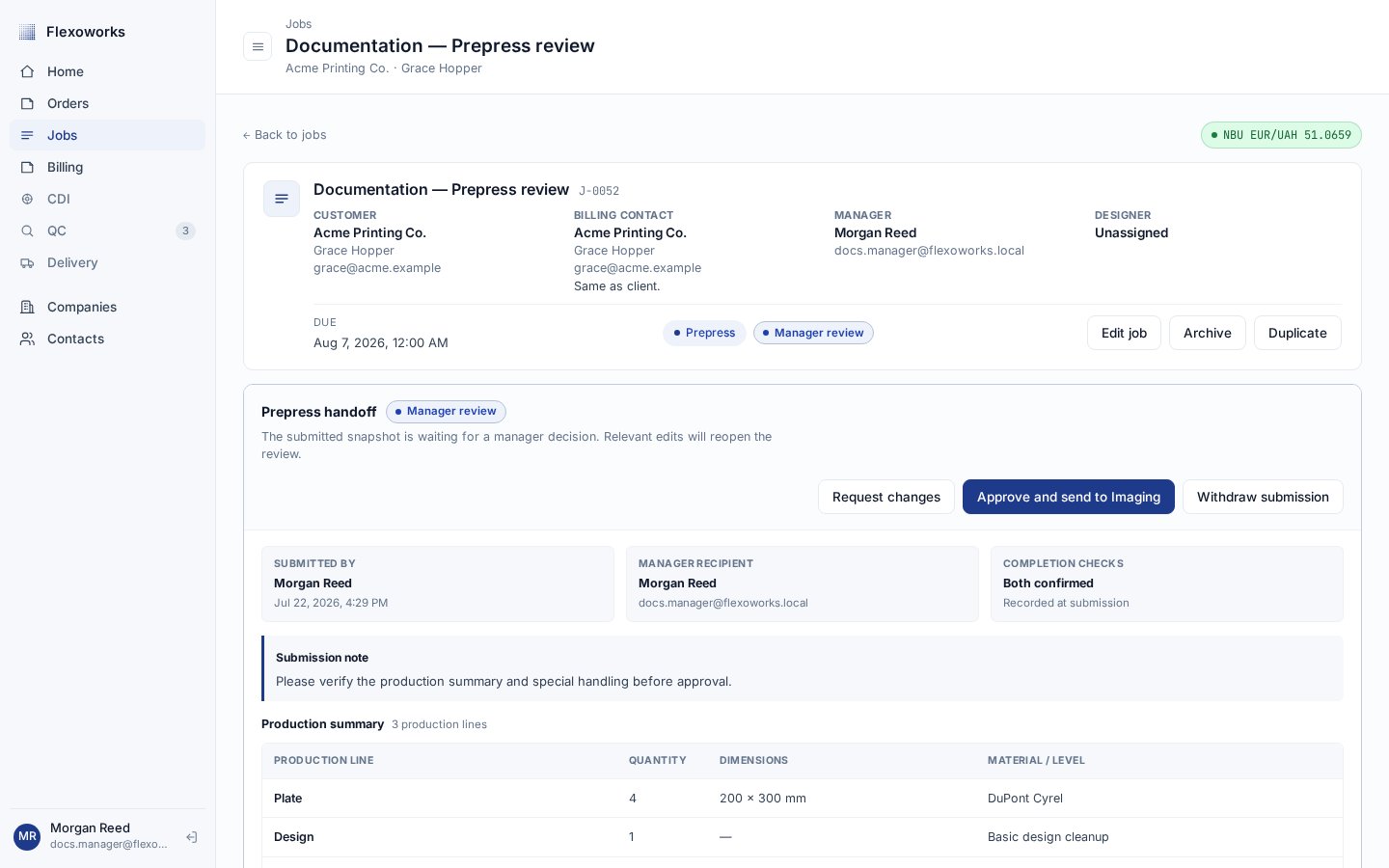
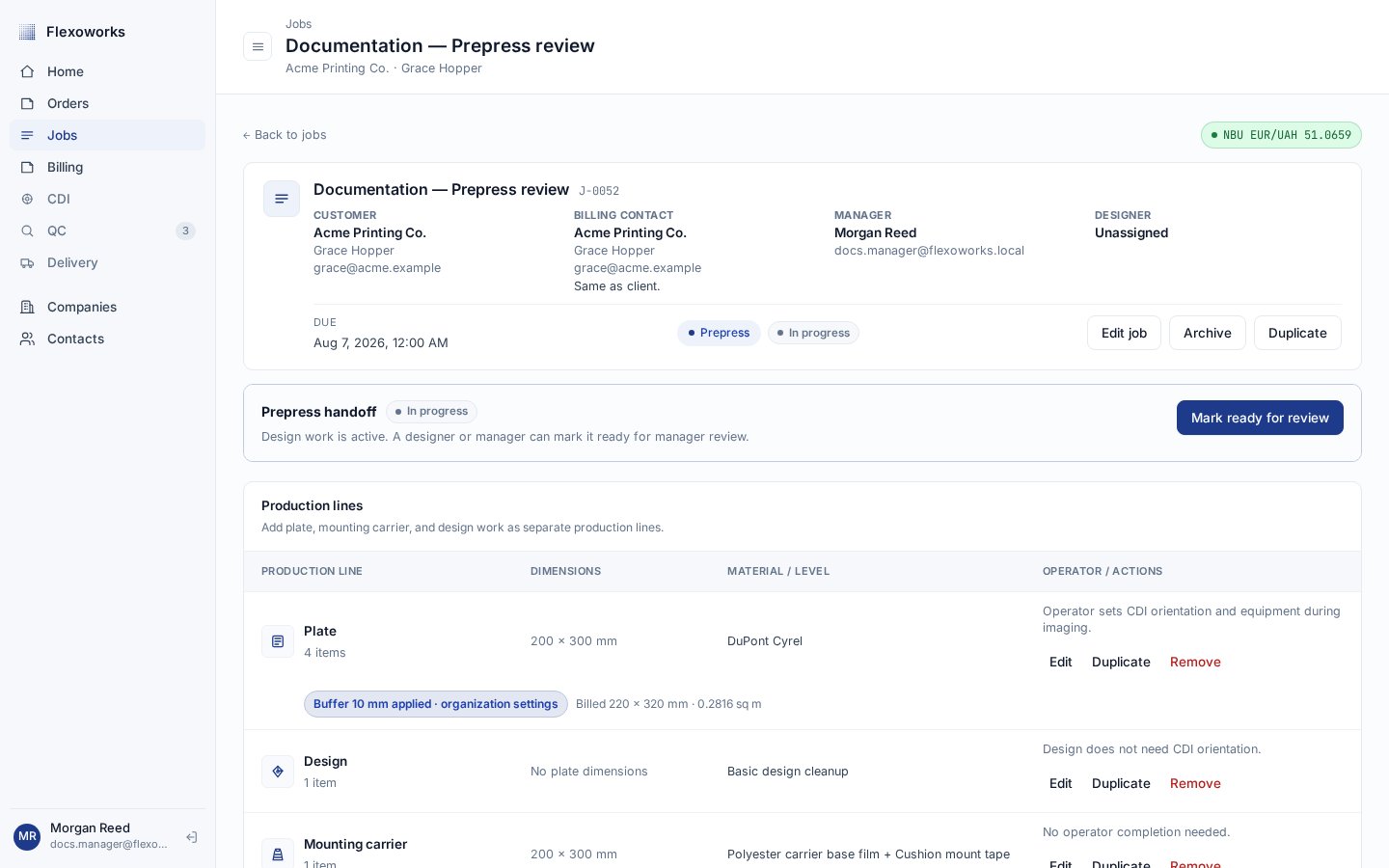 Select **Mark ready for review** to submit the Prepress snapshot. A manager
can **Request changes**, which keeps the job in Prepress, or **Approve and
send to Imaging**.
Manager approval is the **only** transition from **Prepress** to
**Imaging**. There is no regular stage-advance button for this transition.
Select **Mark ready for review** to submit the Prepress snapshot. A manager
can **Request changes**, which keeps the job in Prepress, or **Approve and
send to Imaging**.
Manager approval is the **only** transition from **Prepress** to
**Imaging**. There is no regular stage-advance button for this transition.
 For confirmations, warnings, change requests, and resubmission, follow
[Prepress review and manager handoff](/guides/prepress-review).
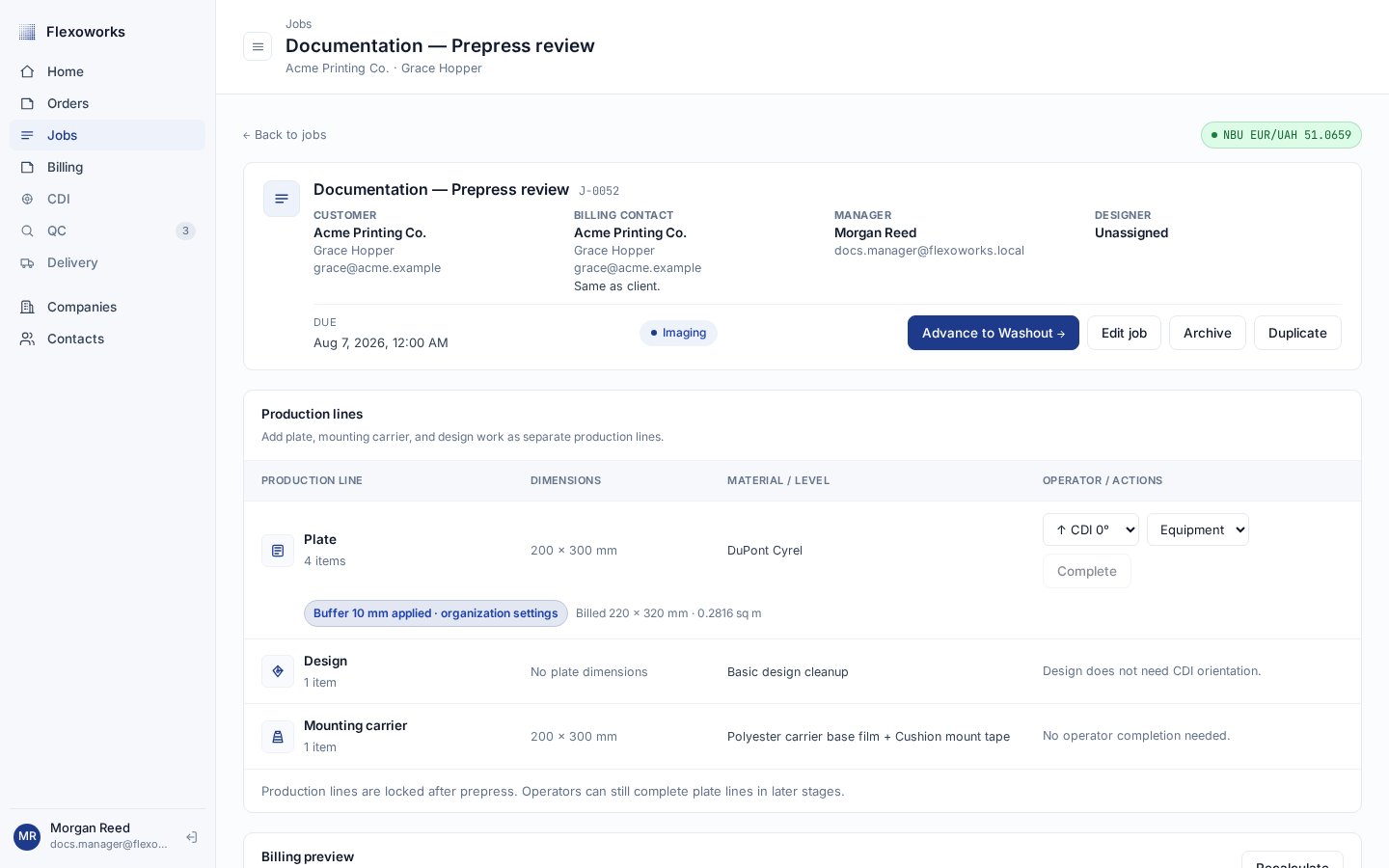
After approval, the job is in **Imaging** and the normal forward action is
available again. Select **Advance to Washout →** and confirm when exposure
work is ready for the next stage.
For confirmations, warnings, change requests, and resubmission, follow
[Prepress review and manager handoff](/guides/prepress-review).
After approval, the job is in **Imaging** and the normal forward action is
available again. Select **Advance to Washout →** and confirm when exposure
work is ready for the next stage.
 Complete the washout work, then select **Advance to QC →** and confirm. The
job moves one stage ahead to **QC**.
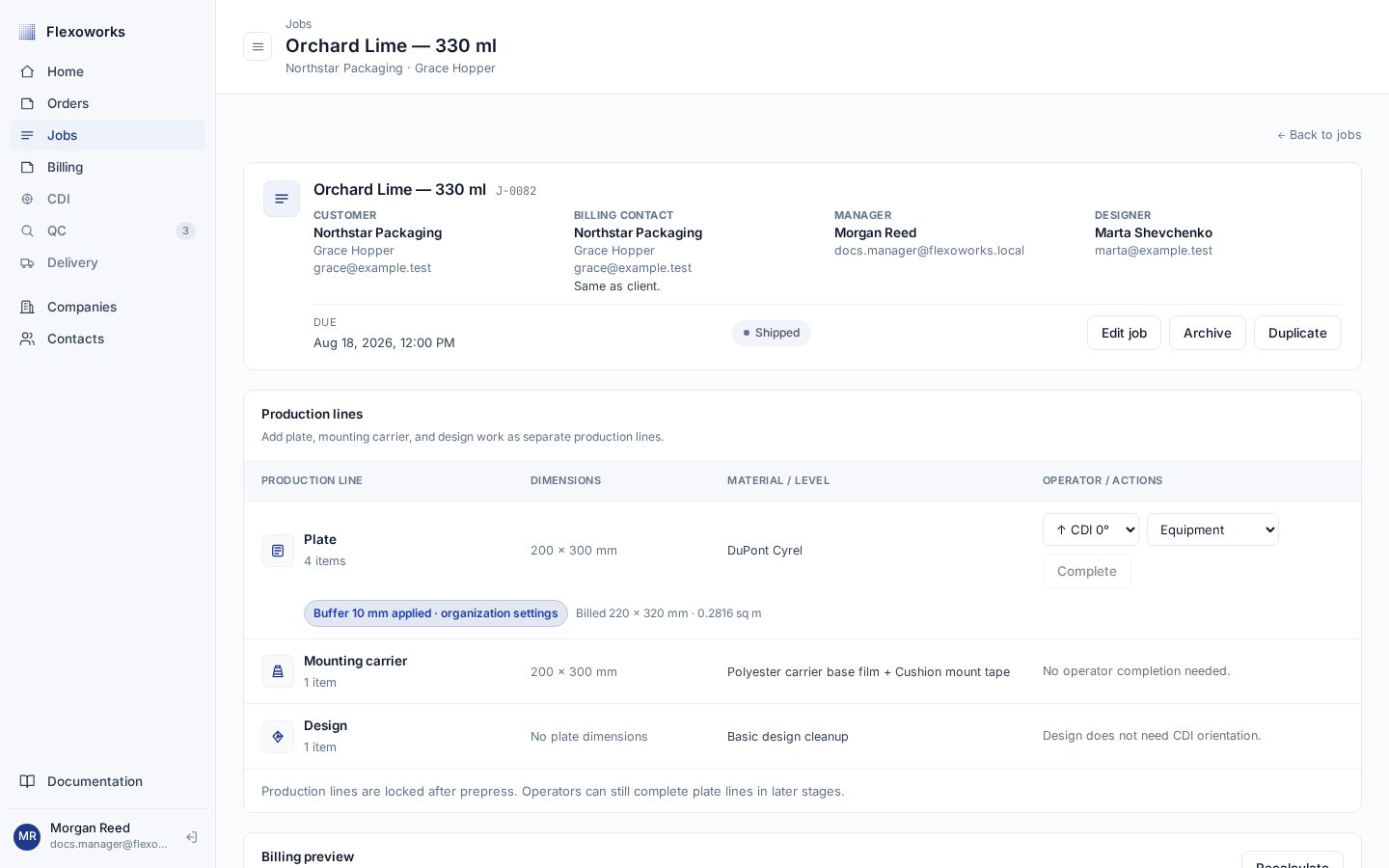
After the final quality checks, select **Advance to Shipped →** and confirm.
**Shipped** is the final production stage, so the job has no further
stage-advance action.
Complete the washout work, then select **Advance to QC →** and confirm. The
job moves one stage ahead to **QC**.
After the final quality checks, select **Advance to Shipped →** and confirm.
**Shipped** is the final production stage, so the job has no further
stage-advance action.
 ## Job stage and production-line completion are different
The job stage describes the progress of the **whole job**. Completion belongs
to an individual **plate production line** and records that line's entire
quantity together with its operator details.
Completing a plate production line does **not** advance the job. Advancing the
job does **not** mark its plate production lines complete. Treat the stage and
line-completion status as two independent production signals.
Production lines can be edited only in **Intake** and **Prepress**, but plate
completion remains an operator action in the later production stages. Learn how
the work rows, quantities, materials, and completion records fit together in
[Production lines](/guides/production-lines).
## What Shipped changes
**Shipped** is final: it means production has completed its route through the
stage sequence. A non-archived Shipped job appears in **Ready for invoice**
only when it has billing lines, a **Billing company** and **Billing contact**,
and is not reserved by a **Draft** or **Issued** invoice. A **Void** invoice
does not reserve the job. A job in any earlier stage is not invoice-eligible.
Shipping does not archive the job. The record remains available as completed
production history and in the **Shipped** Stage filter.
## Archive is separate from the lifecycle
Archive is a record state that can be applied independently of the production
stage. An archived job keeps the stage it had, is removed from active work,
and becomes read-only. Do not use Archive to mean Shipped.
Because an archived job is read-only, its details, files, production lines,
billing, comments, and stage cannot be changed. Use the **Active / Archived**
filter separately from the **Stage** filter when locating historical records.
## Continue the workflow series
See how an incoming order becomes production work.
Understand the work and billing units inside a job.
Follow the manager handoff step by step.
## Job stage and production-line completion are different
The job stage describes the progress of the **whole job**. Completion belongs
to an individual **plate production line** and records that line's entire
quantity together with its operator details.
Completing a plate production line does **not** advance the job. Advancing the
job does **not** mark its plate production lines complete. Treat the stage and
line-completion status as two independent production signals.
Production lines can be edited only in **Intake** and **Prepress**, but plate
completion remains an operator action in the later production stages. Learn how
the work rows, quantities, materials, and completion records fit together in
[Production lines](/guides/production-lines).
## What Shipped changes
**Shipped** is final: it means production has completed its route through the
stage sequence. A non-archived Shipped job appears in **Ready for invoice**
only when it has billing lines, a **Billing company** and **Billing contact**,
and is not reserved by a **Draft** or **Issued** invoice. A **Void** invoice
does not reserve the job. A job in any earlier stage is not invoice-eligible.
Shipping does not archive the job. The record remains available as completed
production history and in the **Shipped** Stage filter.
## Archive is separate from the lifecycle
Archive is a record state that can be applied independently of the production
stage. An archived job keeps the stage it had, is removed from active work,
and becomes read-only. Do not use Archive to mean Shipped.
Because an archived job is read-only, its details, files, production lines,
billing, comments, and stage cannot be changed. Use the **Active / Archived**
filter separately from the **Stage** filter when locating historical records.
## Continue the workflow series
See how an incoming order becomes production work.
Understand the work and billing units inside a job.
Follow the manager handoff step by step.