Follow job stages from Intake to Shipped, including Prepress approval.
A job is the production record that carries the customer work, files,
production lines, billing, and history. Its stage shows where the job is in
the production lifecycle.
A customer order is an incoming request. When it is converted, Flexoworks
creates one or more jobs in Intake. Read Orders and jobs: from intake to
production for the complete relationship.
Every active job follows the same route:Intake → Prepress → Imaging → Washout → Ready for delivery → Shipped
1. Intake
Confirm the customer request, files, job details, and production lines.
2. Prepress
Prepare the artwork and complete the manager-review handoff.
3. Imaging
Arrange individual plates in CDI and let the terminal team record imaging completion.
4. Washout
Continue the physical plate-production process after exposure.
5. Ready for delivery
Pack completed customer jobs in Delivery; no extra QC approval is required.
6. Shipped
Finish the production lifecycle and make eligible billing available for
invoicing.
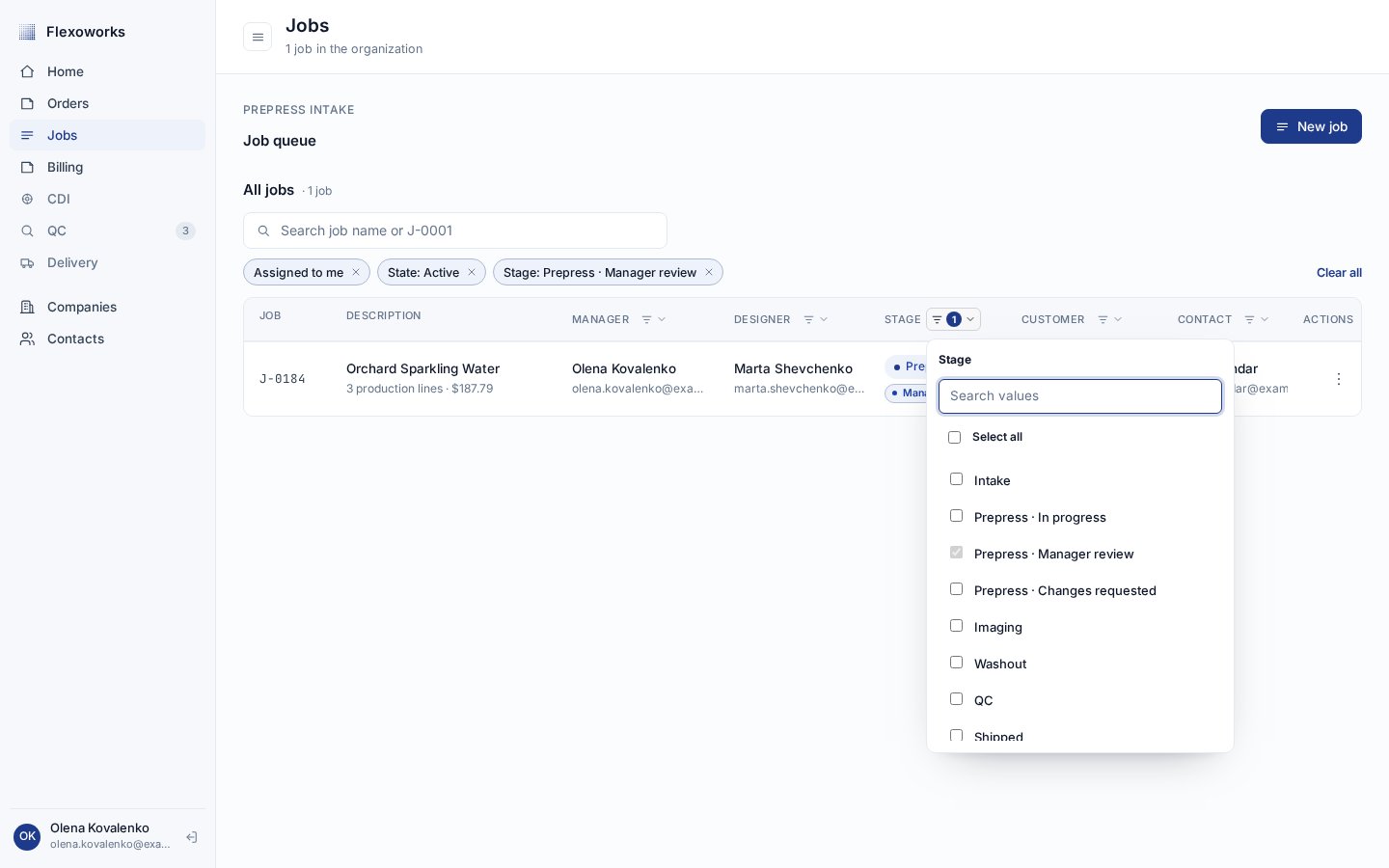
On the Jobs page, the Stage column shows the current production stage.
Open its checkbox filter to combine stages or to distinguish the three Prepress
workflow states. The default active view includes every workflow status except
Shipped; select Shipped when you need to include dispatched work.
The Stage filter follows lifecycle order and keeps the three Prepress workflow states distinct.
Ordinary manual transitions move one stage forward. For individually
tracked plates, imaging and washout progress comes from the current required
plates. Replacing a failed plate can return the job to Imaging until that
replacement catches up.
1
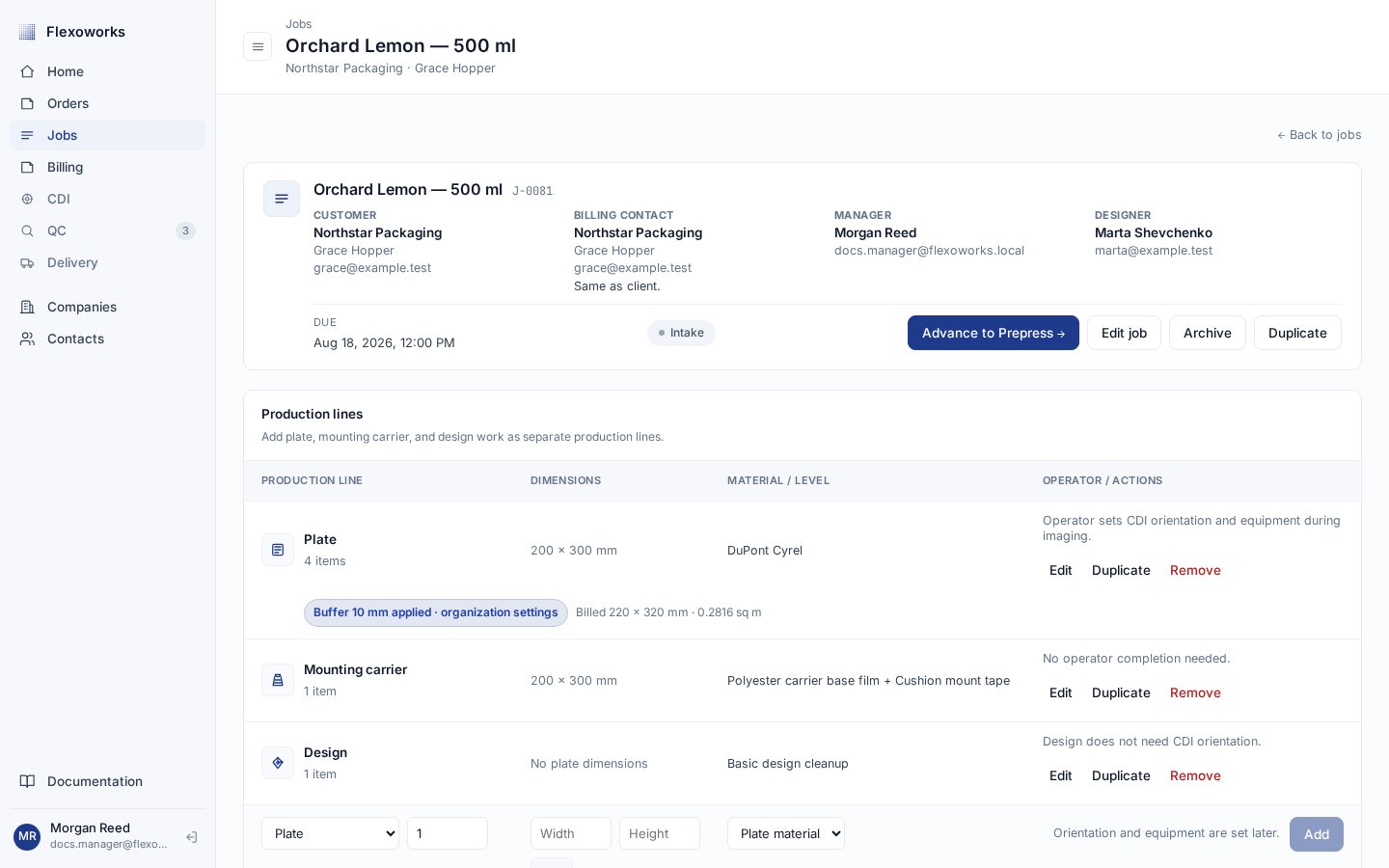
Advance from Intake to Prepress
Use Intake to verify the request and prepare the job for design work.
This is also one of the two stages where production lines can be added,
edited, or removed.When the job is ready, select Advance to Prepress → in its header and
confirm. This is a standard next-stage transition.
An Intake job offers only the next valid transition: Advance to Prepress.
2
Complete the Prepress work
In Prepress, prepare the artwork and verify the production details.
Production lines are still editable here. Unlike the other stages, Prepress
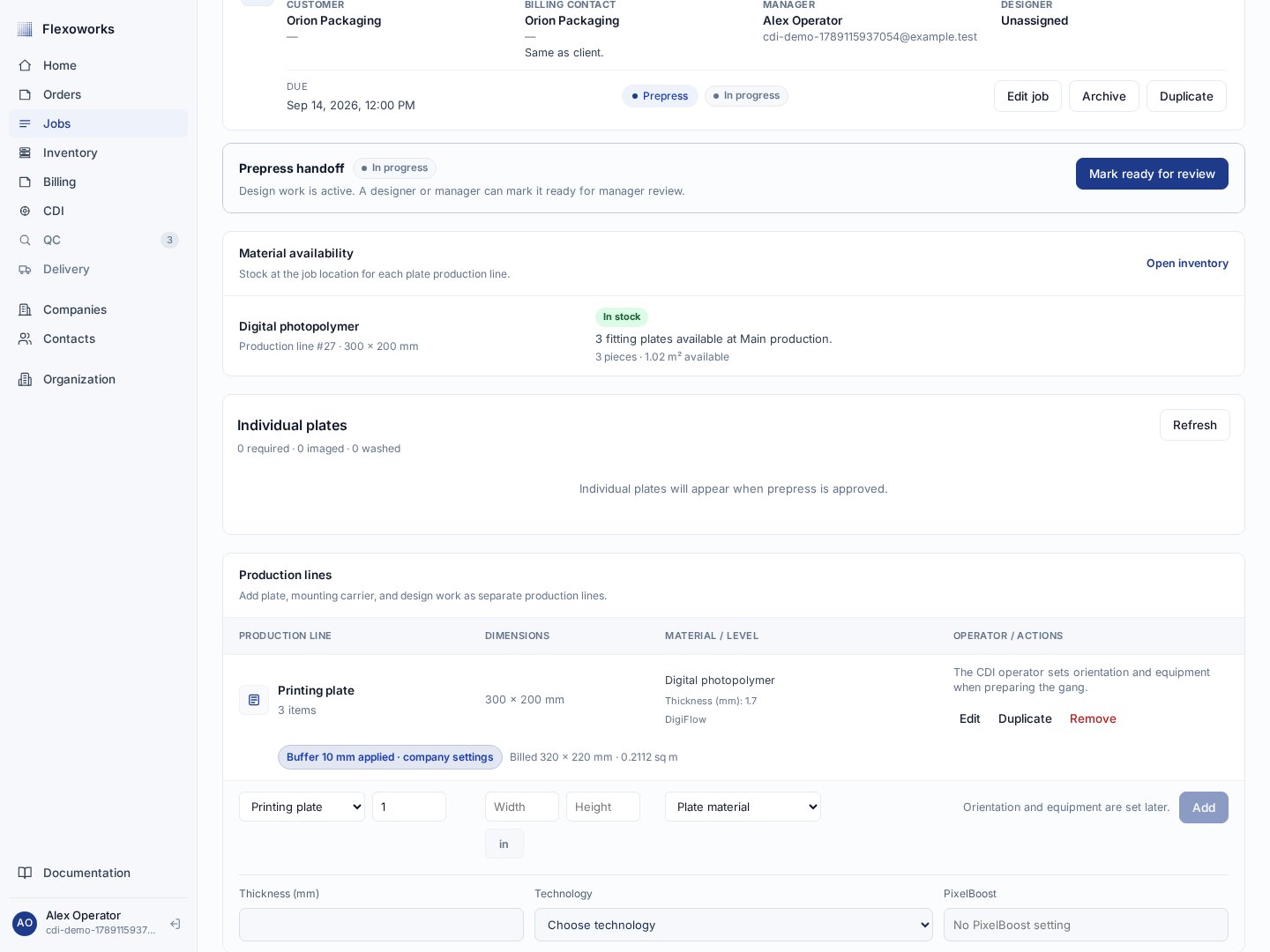
does not have an ordinary Advance to Imaging action.Prepress has three workflow states without adding extra production stages:
Prepress · In progress — design or preparation work is active.
Prepress · Manager review — a submitted snapshot is waiting for a manager decision.
Prepress · Changes requested — manager feedback must be addressed before resubmission.
The Prepress handoff starts in progress and becomes ready when the work can be submitted.
3
Get manager approval for Imaging
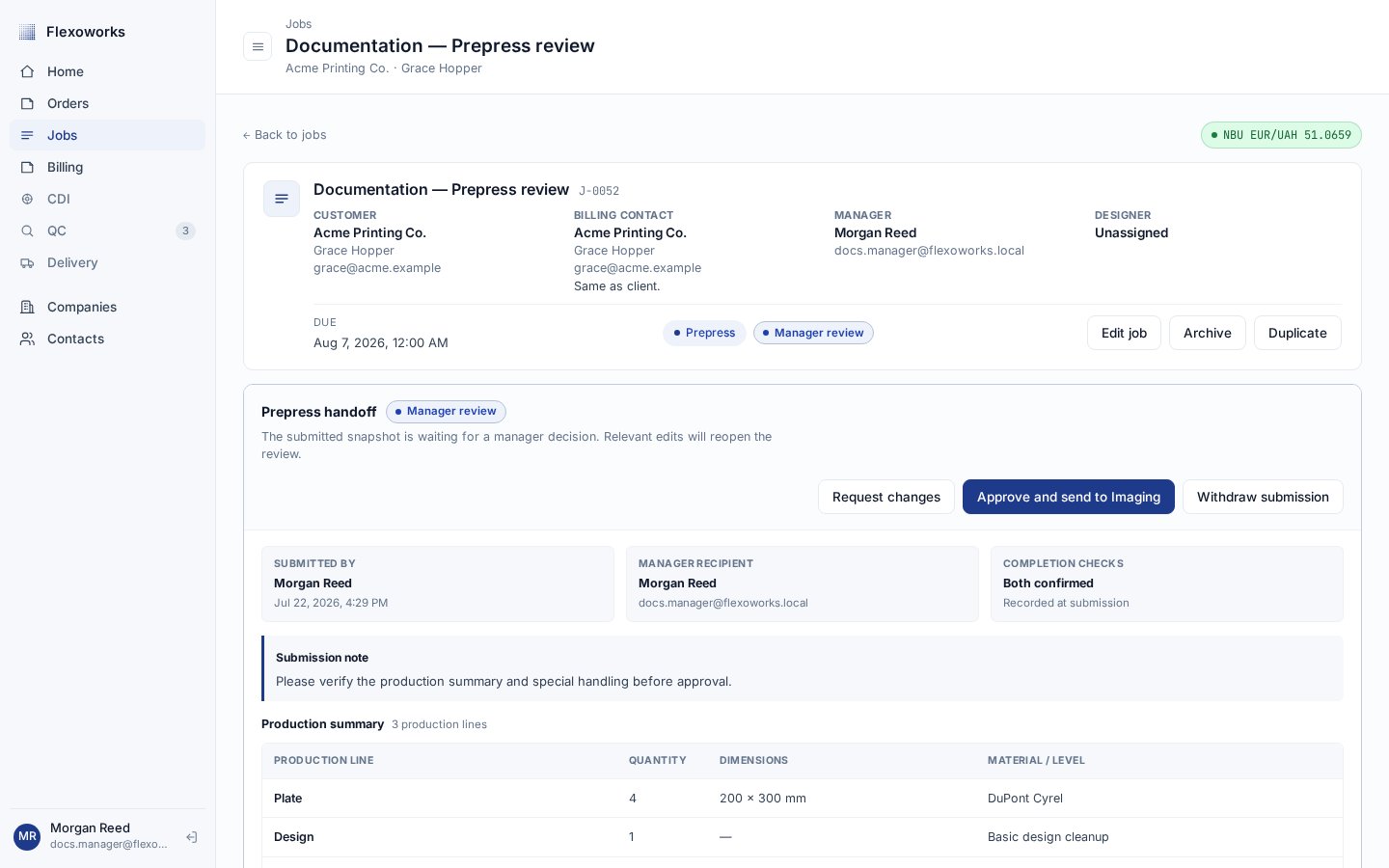
Select Mark ready for review to submit the Prepress snapshot. A manager
can Request changes, which keeps the job in Prepress, or Approve and
send to Imaging.Manager approval is the only transition from Prepress to
Imaging. There is no regular stage-advance button for this transition.
A pending Prepress review gives the manager the decision actions that control the transition.
Manager approval releases individual plates to the CDI workspace.
The CDI operator arranges a gang, recreates it in Esko DFS, and records
Send to queue. Terminal workers select Finish imaging when the
physical sheet is ready. Once all current required plates are imaged,
Flexoworks moves the job to Washout automatically. A manual advance
cannot bypass unfinished required plates.
5
Finish washout through the production terminal
Workers select Start washout and Finish washout for each gang.
Flexoworks moves the job to Ready for delivery when all current required
plates are washed. Unfinished plates on another gang keep the job out of Delivery.
6
Advance from Ready for delivery to Shipped
In Delivery, prepare the parcel, print its documents, and
confirm Handed to Nova Poshta after physical dispatch.
Shipped is the final production stage, so the job has no further
stage-advance action.
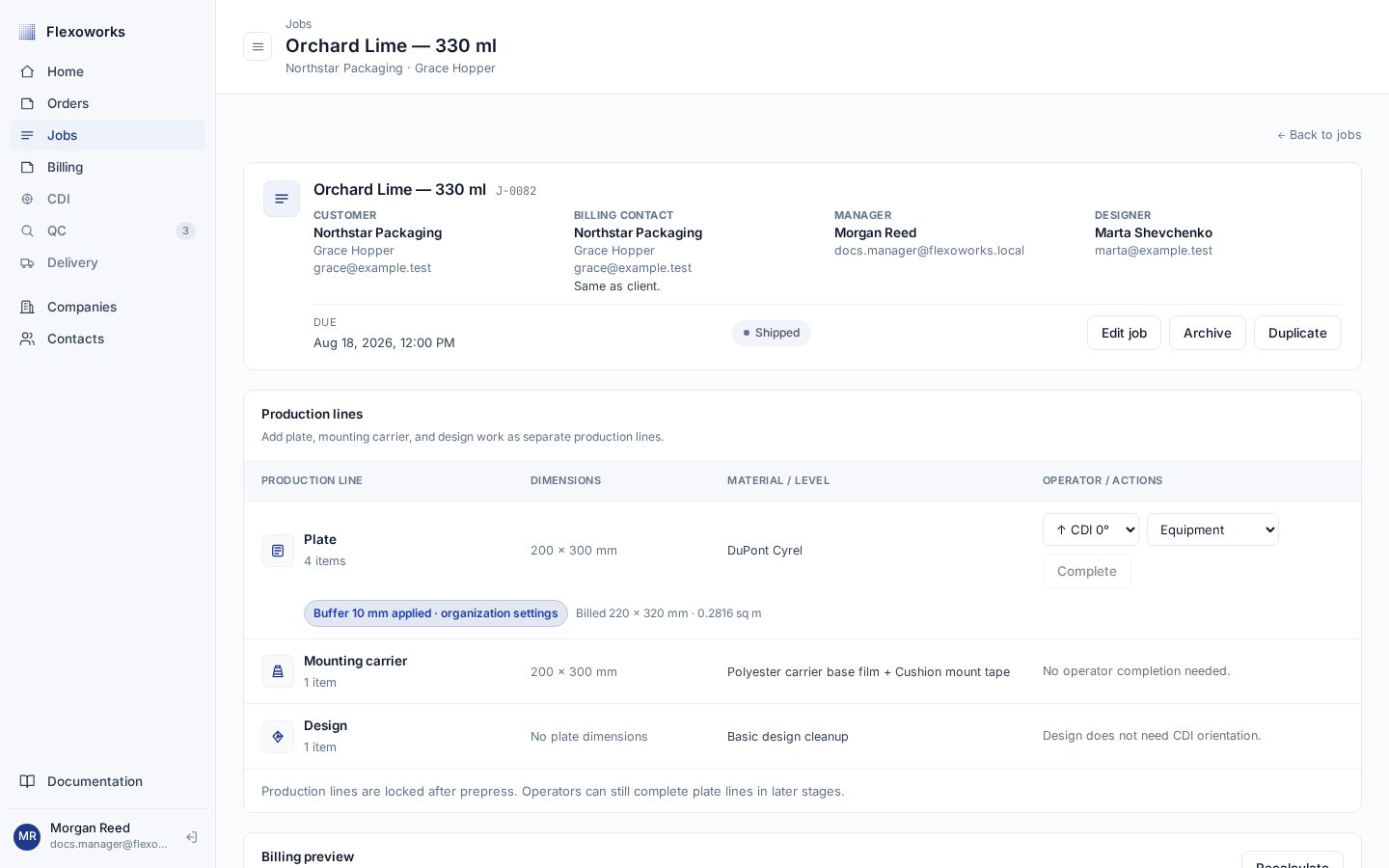
A Shipped job has reached the end of the production lifecycle and can feed the invoicing workflow.
Each individual plate retains its own gang, orientation, imaging completion,
washout completion, and replacement attempts. One gang can contain several
jobs, and one job can span several gangs.The job remains in Imaging while any current required plate is not imaged,
then Washout until all are washed. Replacing a failed plate preserves its
history and successful siblings, but the new required attempt must pass the
production steps before the job can progress again. Required and billed
quantity remain unchanged.Historical whole-line completions remain visible as legacy facts. They are
not assigned invented gangs or washout timestamps. Jobs without individually
tracked plate work retain the applicable ordinary stage actions.See Individual plates in CDI and
Production terminals.
Shipped is final: it means production has completed its route through the
stage sequence. A non-archived Shipped job appears in Ready for invoice
only when it has billing lines, a Billing company and Billing contact,
and is not reserved by a Draft or Issued invoice. A Void invoice
does not reserve the job. A job in any earlier stage is not invoice-eligible.Shipping does not archive the job. The record remains available as completed
production history and in the Shipped Stage filter.
Archive is a record state separate from the production stage. Jobs with
active gang work must finish or release that work before archiving. An archived job keeps the stage it had, is removed from active work,
and becomes read-only. Do not use Archive to mean Shipped.
Because an archived job is read-only, its details, files, production lines,
billing, comments, and stage cannot be changed. Use the Active / Archived
filter separately from the Stage filter when locating historical records.