

Upload and find files
Select Upload files, or drop files onto the Files card. One request accepts up to 30 files, 250 MB per file, and 1,000 MB in total. Wait for the upload and analysis to finish. The All, Images, PDF, LEN, DXF, and Others tabs show active attachments. Expand a file’s metadata to inspect available dimensions and production information. PDF metadata is reference information; uploading a PDF does not automatically create a production line.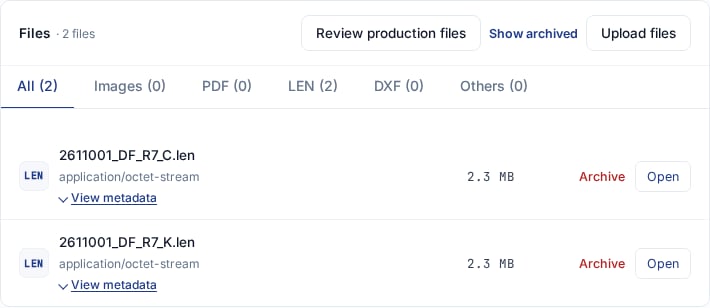
Files remain available independently of the production lines created from them.
Review LEN specifications
Review is available in Intake and Prepress. A LEN/DXF upload opens the review when there are pending files. Choose Review later to defer it, then reopen Review production files from Files.- Check filenames, order number, colour, and warnings.
- Choose Apply to production line: create a new line or select the existing line you intend to update. Compare its Current values before replacing them.
- Check Width (mm), Height (mm), Quantity, Material, Thickness (mm), Technology, and PixelBoost.
- Keep only the intended rows checked and select Apply selected changes.
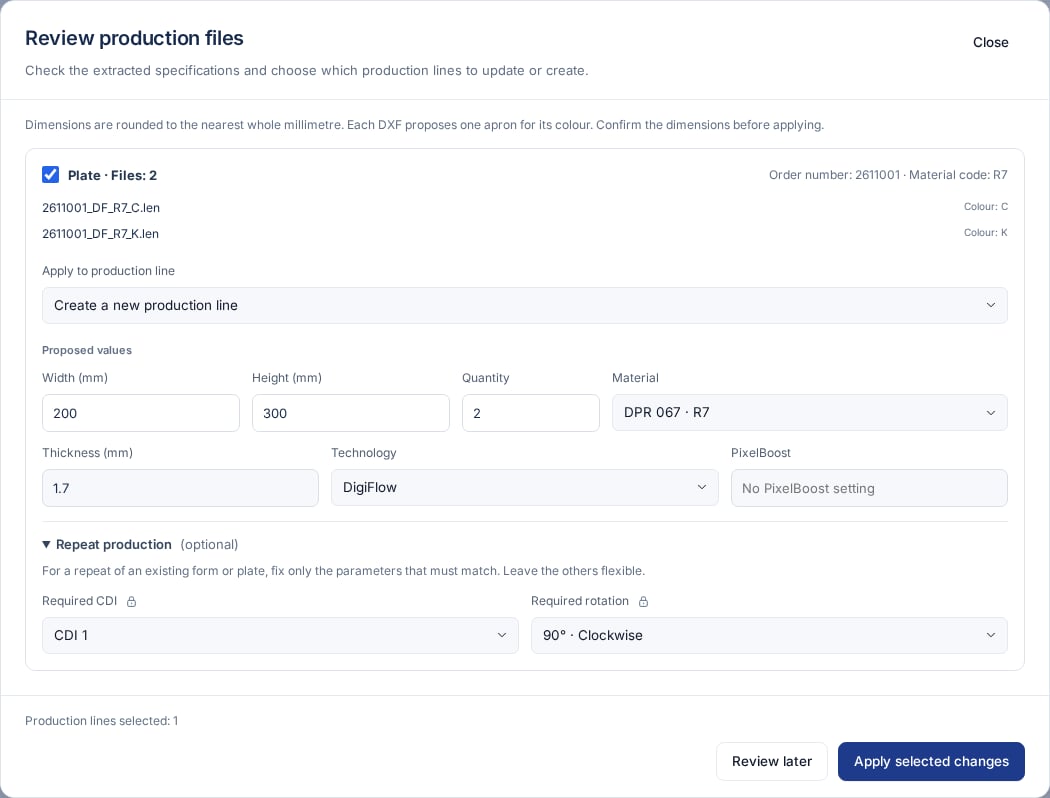
Review the source files, destination, and proposed specifications before applying changes.
R7 must match that label, not part
of a longer name. Check technology and PixelBoost rather than assuming every
filename follows the same convention.
Applying changes updates the selected lines and their billing. Uploading alone
does neither and does not send the prepress review email. Changing production
data also reopens a pending manager review.
Review a DXF apron
Each DXF proposes one Apron row for its colour, initially with quantity 1. The number of plate pieces inside the drawing is not the apron quantity. Check width and height, choose Base material and Cushion material, and select a new or existing mounting-carrier line before applying.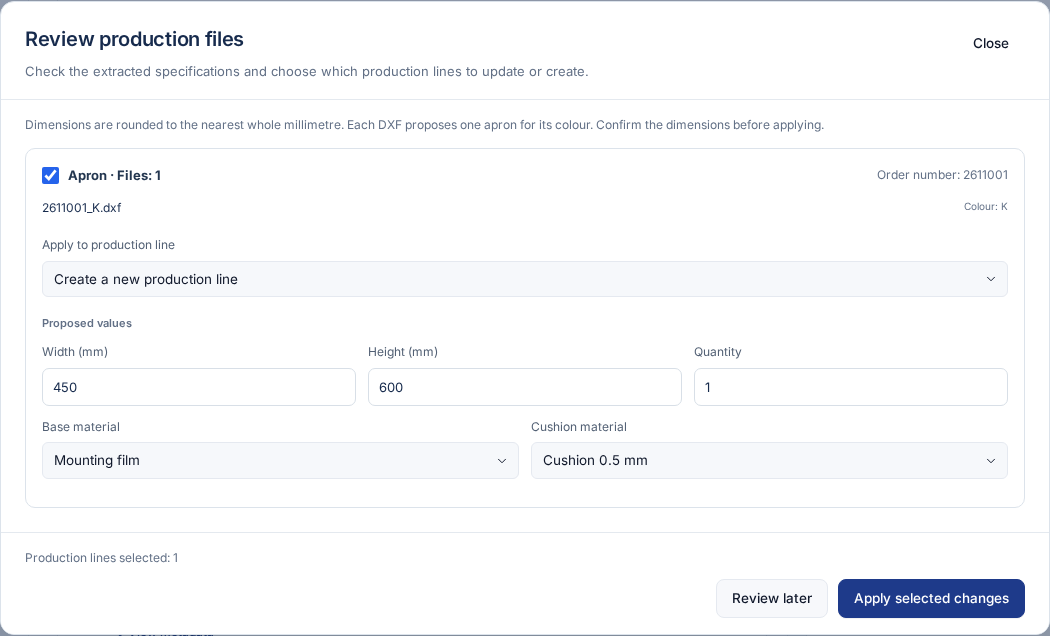
Confirm the apron dimensions and choose both mounting materials.
Set repeat requirements
Expand Repeat production in LEN review or when editing a plate line:- Required CDI fixes the machine at the job’s production location.
- Required rotation fixes the original orientation or 90° clockwise.
Resolve warnings
Applied files retain their metadata and an applied notice. They are no longer
pending review. Confirm quantities, source files, and lines before
Prepress review.